House Energy CertifiedField notes / 01
Practice guide  /  The design office

Let AI work where you work.

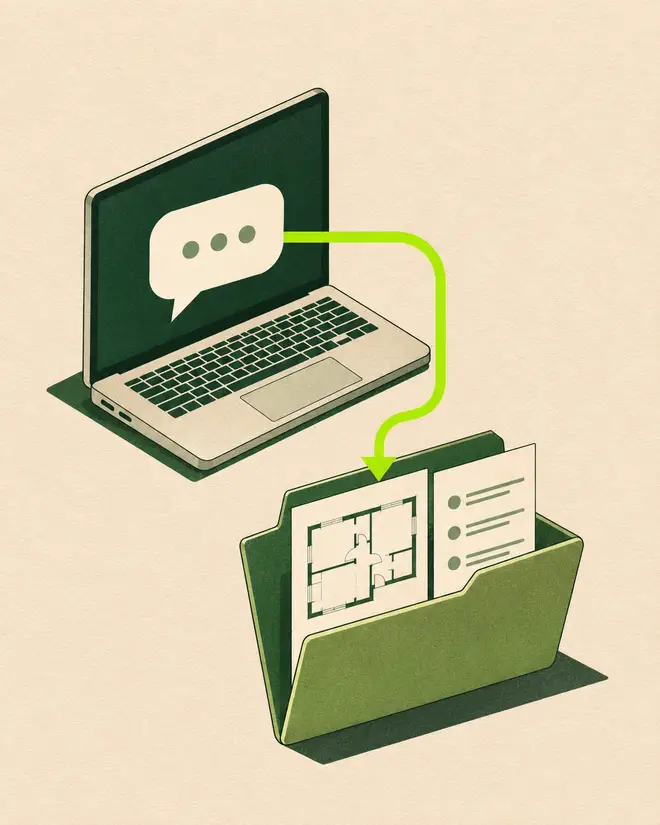
Stop carrying work into the chat box. Connect ChatGPT or Claude to your computer and give it a task where your files already live.

Paul GradwellFounder & Principal, House Energy Certified
AI on a laptop connects to a project folder containing a plan and notes
Field Notes 01 / Connecting AI to project files
From Paul’s desk

The step I wish I’d known sooner: give AI the job where the work already lives.

Before a drawing issue, I want to ask one question: which consultant reports are we still waiting for? Give Claude or ChatGPT the consultant register, the project correspondence and the received files, and it can put the evidence side by side for you to check.

01 / Setup

Your first ten minutes.

Use made-up notes for the trial. Keep client plans, private correspondence and passwords out of the practice folder.

  1. Make a practice folder. On your own computer, create a folder called AI-Practice in Documents. Put two plain text files in it with made-up project notes. Use a separate, limited computer account if possible: a practice folder alone does not restrict what the connector can access.
  2. Choose your AI. For ChatGPT, open Remote Desktop Commander and choose Connect. For Claude, open Settings → Connectors and look for Remote Desktop Commander. If it isn't listed and your workspace permits custom connectors, add https://mcp.desktopcommander.app/mcp. Allow the connection using your Desktop Commander account. On a managed device, get your administrator's go-ahead first.
  3. Pair the actual computer. On the machine holding the files, open the maker's setup instructions. On Windows, use the linked Windows installer; on Mac or Linux, follow the instructions for your system. Use the same Desktop Commander account. When a browser opens, compare its code with the terminal code. Confirm only if they match.
  4. Check the connection. Leave the terminal window open. Start a new chat, select the connector, and ask: List my connected devices. Look for your computer's name. If missing, check it is awake, the terminal is still running, and both sign-ins used the same account.
  5. Give it a job you can verify. Try the prompt below. Compare the summary with your two originals. To stop, press Ctrl+C in the connector terminal. To remove access, revoke the device in device settings.
Practice prompt / Read only
On my connected computer, read only the two files in Documents/AI-Practice. List the filename beside each decision. If the notes disagree, show both versions. Do not change files or send anything.
02 / Applications

Six jobs for a design practice.

Pick a brief below and replace the project details with your own. For mail, use an authorised mailbox connection or exported threads with their attachments. Make synced files available offline. For recurring Ads reports, use scheduled exports or a separately authorised read-only integration.

Consultant coordination

Which reports are outstanding?

Compare the consultant register with the project emails and attachments. For each expected report, show the matching file and email date, or mark it ‘not found in the records checked’. Draft one follow-up listing only the gaps.

Drawing issue

Did we receive everything listed?

Match the files in the incoming folder to the drawings listed in the transmittal email. Give me a table of drawing number, expected revision, received revision and filename. Flag missing sheets and revision mismatches.

Dropbox or OneDrive

Where is the consultant report I need?

I need the acoustic report for this project. Search the synced Dropbox or OneDrive folder by project address and consultant name, including inside readable PDFs. Give me the file path and the date printed on the report. If you only find a fee proposal, say so.

Design changes

What changed after the client meeting?

Compare the minutes with the client’s later email. List confirmed changes separately from suggestions. Beside each change, name the drawing or schedule to review and quote the line that supports it.

Project handover

What does the next designer need?

Read this week’s project correspondence. Prepare a Friday handover with decisions, outstanding questions, and promised dates. Link each item to its source and leave the owner blank if nobody was named.

Practice marketing

Which searches are spending our ad budget?

From our weekly Google Ads search-term export, group searches by service and suburb. Flag spend on irrelevant terms and show recorded enquiries separately from clicks. Prepare a shortlist for review; make no campaign changes.


03 / The time ledger

Ten minutes a day.
110 hours a year.

Three people saving ten minutes each across 220 working days would recover 110 hours. At A$60 an hour, that is A$6,600 of staff time.

This is an illustration. Time one handover before and after, and include the time spent checking the answer.

Project resources

Working on a residential project?

Choose the state or territory where the home will be built to see the assessment services available for your project.